React-Native Layout Examples

Flexbox layout takes a bit getting used to. It's surprisngly simple but after so many years of box model css layout it throws you for a loop.
Some examples
Percentage height sections
These are seemingly simple to do in CSS. Specify height: 50% and you get a magical 50% height. Yeah I'm over simplifying it but in general that's what you get. In flex it's different.
This percentage based layout question was asked here https://github.com/facebook/react-native/issues/364.
Laying out login screens may require significant white space. To accomplish % based layout we can use the flex property along with flexDirection.
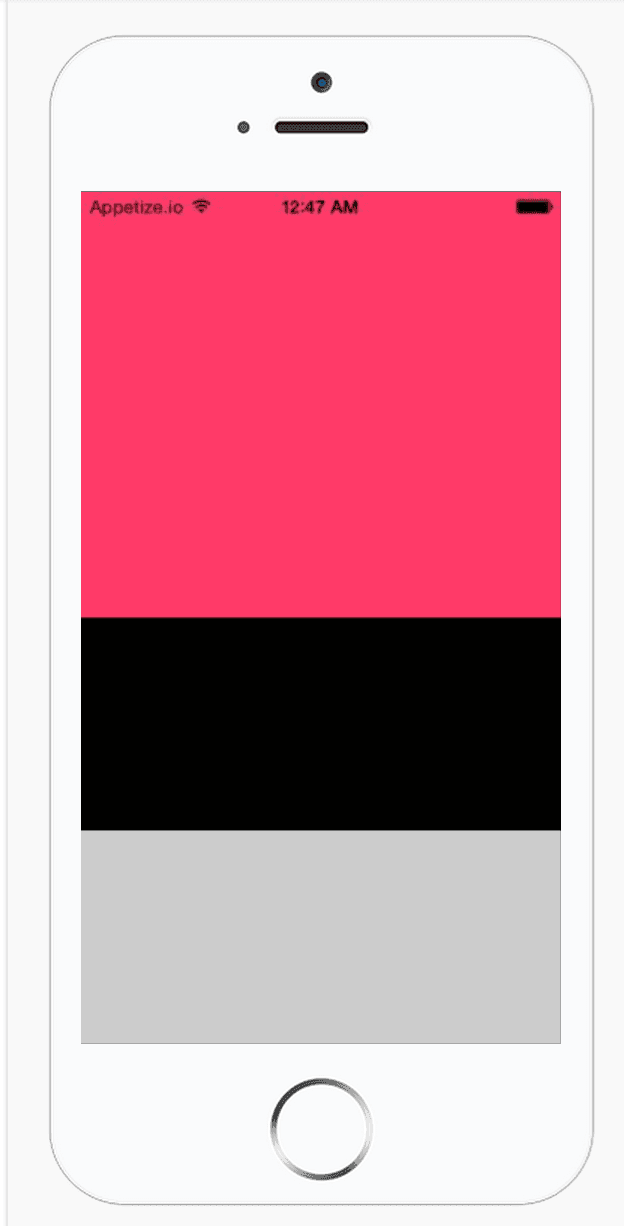
Say you want 3 sections. Top 50%, then two 25% sections.
Our code would look something like this
var SampleApp = React.createClass({
  render: function () {
    return (
      <View style={styles.container}>
        <View style={styles.halfHeight} />
        <View style={styles.quarterHeight} />
        <View style={[styles.quarterHeight, { backgroundColor: "#CCC" }]} />
      </View>
    );
  },
});

var styles = StyleSheet.create({
  container: {
    flex: 1,
    flexDirection: "column",
  },
  halfHeight: {
    flex: 0.5,
    backgroundColor: "#FF3366",
  },
  quarterHeight: {
    flex: 0.25,
    backgroundColor: "#000",
  },
});
This makes it look like percentages, however what actually is happening is just ratios.
The ratios are easier to represent with non-decimals. Equivalent code to the above would look like.
var styles = StyleSheet.create({
  container: {
    flex: 1,
    flexDirection: "column",
  },
  halfHeight: {
    flex: 2,
    backgroundColor: "#FF3366",
  },
  quarterHeight: {
    flex: 1,
    backgroundColor: "#000",
  },
});
That's saying that the halfHeight container should take up twice as much space, and the quarterHeight should take up one amount of space.
The actual numbers depend on screen size, and/or also derived from parent containers. So we can't attach specific heights.
It just means " halfHeight should take up 2 units of height where quarterHeight takes up 1 unit/half as much height as the halfHeight container".
React-Native Example Screens
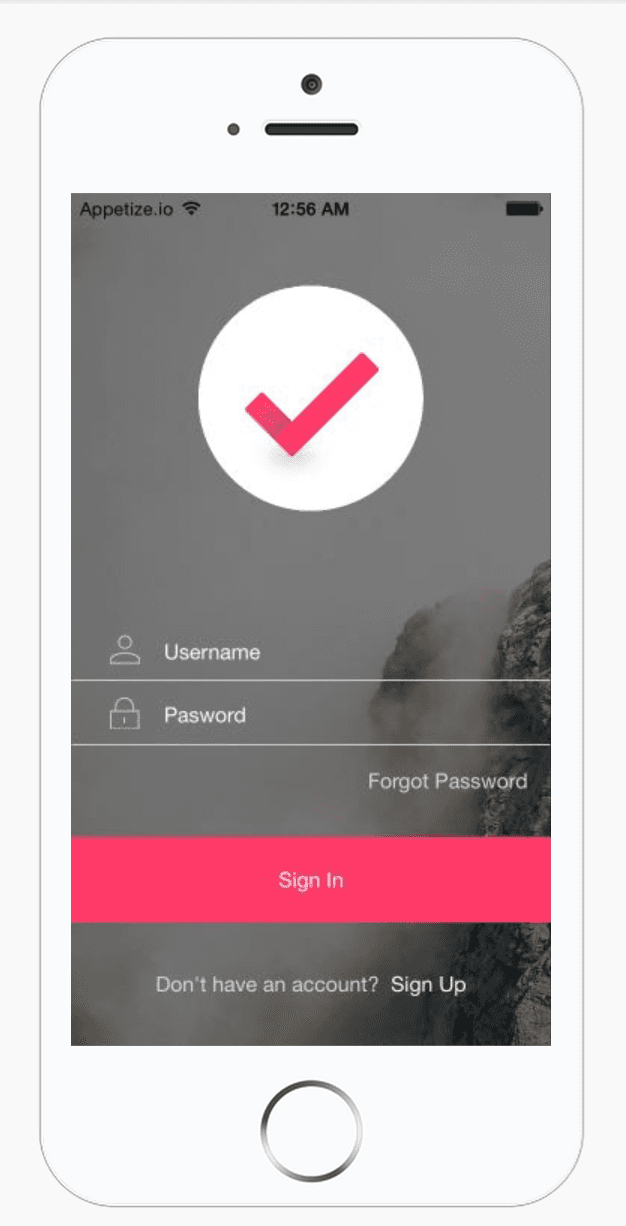
Not being very good at flexbox I figured what better way than to create a bunch of layout examples to practice. That's when I saw http://www.invisionapp.com/do. It has a bunch of beautiful layouts, so I am attempting to recreate some.
You can check out the repo here https://github.com/browniefed/react-native-screens
Example: Login1
If you like this, feel free to contribute and download the screens from http://www.invisionapp.com/do. I found the Sketch ones were the easiest to handle and export individual assets from.